GNU Radio Companion - BPSK Audio Modem

How to construct a simple BPSK audio modem in GNU radio. The modem broadcasts text data via your computer's speakers, and the signal is picked up with the computer's microphone.

Prepared by Dr. Aaron Scher
[email protected]
Oregon Institute of Technology

Back to My collection of GNU radio companion flow graphs
Back to Aaron's home page.
(Last updated: Oct 2015)

Download file: audio_modem1.grc.

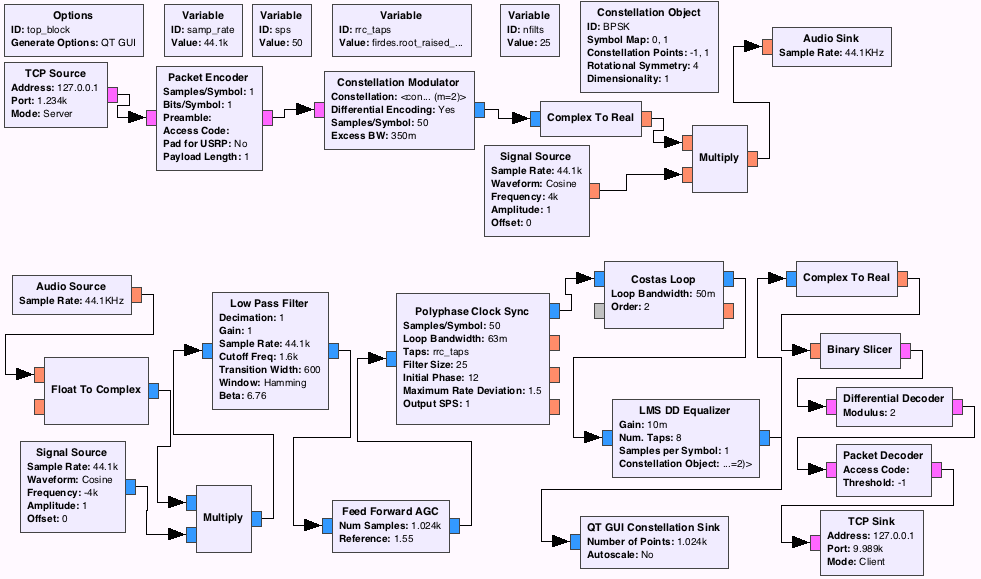
BPSK Audio Modem Flow Graph (both transmitter and receiver are in the same flow graph):

Mod/Demod

How to operate

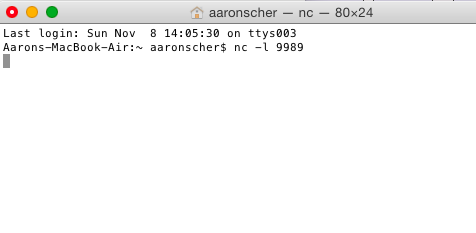
  1. Set up a simple client to listen to port 9989. I do this with my mac by opening up a new Terminal window and using the nc (or ncat) utility:
  2. Mod/Demod

  3. Execute the flow graph in GNU Radio Companion.
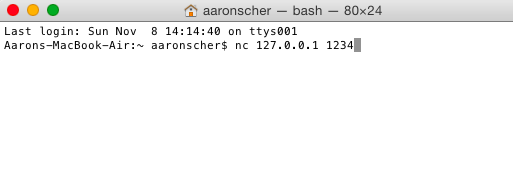
  4. (Quickly) Set up a simple server to connect to 127.0.0.1 port 1234 I do this with my mac by opening up another Terminal window and using the nc utility:

    Mod/Demod

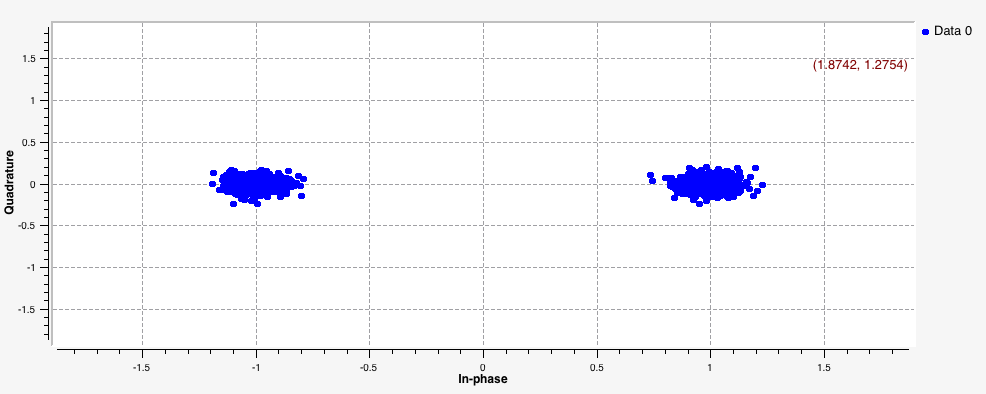
  5. If everything works (sometimes you need to try the above methods a few times before it works - not sure why), you should be able to send text message from the server terminal to the client terminal by sound. Here is a demo:

Note: If you are not continuously sending data, the transmitter will not transmit and the receiver will loose lock. In this case, it may take some time for the reciever to acquire lock when you send another data burst (i.e. the beginning part of your next message may not be received properly)

Mod/Demod